prompt mine App
Find, Create & Share AI Magic
Technical Image Control
Mastering Gemini 2.5 Flash requires a shift from conversational descriptions to technical precision. By using specific instructional verbs and defining spatial constraints, you can significantly improve the accuracy of your AI-generated results. Here is a breakdown of how to apply these controls effectively.
The Importance of Instructional Verbs
Using direct commands ensures the model understands the exact operation you want to perform. General descriptions often lead to vague results, whereas technical verbs trigger specific processing paths.
TRANSFORM: Use this when you need a total stylistic change, such as turning a daytime landscape into a futuristic neon city.
COMBINE: Use this to merge two specific concepts into one cohesive image or idea, such as blending biological textures with mechanical parts.
AUGMENT: Use this to add specific layers of detail or complexity to an existing concept without changing the core subject.
ADD MOTION: This is essential for describing dynamic elements like rushing water, swirling smoke, or high-speed light trails.
Mastering Composition and Negative Space
When you are creating content for marketing or web design, you must account for where text or logos will be placed. Requesting NEGATIVE SPACE in your prompt tells the AI to leave specific areas of the composition empty or minimally detailed. This is crucial for banners and headers where readability is the priority.
Defining Aspect Ratios for Platforms
Specifying the aspect ratio at the end of your prompt prevents the model from defaulting to a square format, which often leads to poor cropping during the export process.
9:16 Ratio: Use this for vertical content like TikTok, Instagram Reels, and YouTube Shorts.
16:9 Ratio: Best for cinematic shots, presentation slides, and YouTube thumbnails.
4:5 Ratio: The ideal standard for high-quality portrait posts on social feeds.
2:1 Ratio: Great for wide panoramic shots or website hero sections.
By combining these technical commands with clear spatial instructions, you transform the AI from a general assistant into a high-precision creative tool. Always prioritize clarity and directness to get the most consistent and professional results.


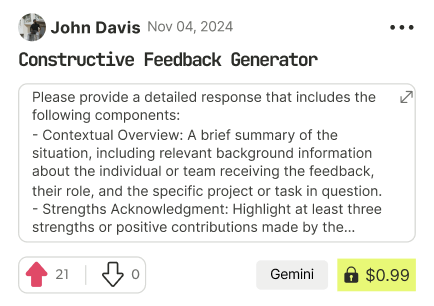
Find Powerful AI Prompts
Discover, create, and customize prompts with different models, from ChatGPT to Gemini in seconds
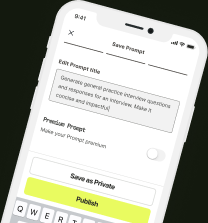
Simple Yet Powerful
Start with an idea and use expert prompts to bring your vision to life!