prompt mine App
Find, Create & Share AI Magic
**Facebook Business Manager Setup & Strategy**
Guide to Facebook Business Manager Setup and Optimization
Phase 1: Getting Started and Account Creation
Before you begin the setup process, ensure you have a personal Facebook profile to verify your identity and a professional business email address that you have regular access to. Follow these steps to create your account:
Step 1: Visit business.facebook.com and click the Create Account button.
Step 2: Enter your business name, your name, and your business email address. Use a name that matches your official business identity to avoid verification issues later.
Step 3: Go to your email inbox and click the verification link sent by Facebook. This step is critical to unlocking all features.
Step 4: Once verified, go to Business Settings. This is your command center.
Step 5: Add your primary Facebook Page by navigating to Accounts, then Pages, and clicking Add.
Step 6: Create your first Ad Account under the Ad Accounts tab. Ensure you select the correct time zone and currency, as these cannot be changed easily later.
Step 7: Set up your payment method under the Payment Methods section to ensure your ads can run without interruption.
Phase 2: The Strategic Benefits of Business Manager
Transitioning to Business Manager offers several high-level advantages that will transform your social media marketing efforts:
Centralized Control: You can manage all your pages, ad accounts, and apps from one place without needing to log in and out of different profiles.
Enhanced Security: It keeps your personal profile separate from your business assets. You can see who has access to what without being friends with employees or contractors on Facebook.
Precise Permissions: You can assign specific levels of access (Admin, Editor, or Advertiser) to team members based on their actual job requirements, which prevents accidental changes or security breaches.
Professional Asset Ownership: By housing your pixel and data in Business Manager, your business retains ownership of its data even if you change agencies or marketing staff.
These benefits streamline your workflow by reducing the time spent on administrative overhead and allowing your team to focus on creative strategy and performance analysis.
Phase 3: Asset Organization and Structural Strategy
To ensure your account remains manageable as you scale, follow this organizational framework:
Naming Conventions: Use a consistent naming structure for all assets. For example, use BRAND NAME - ASSET TYPE - REGION. This makes it easy to search and filter through dozens of campaigns or pages.
People and Partners: Use the People tab for internal staff and the Partners tab for external agencies. Never share your personal login credentials; instead, use the Assign Assets feature to grant access to specific pages or ad accounts.
The Pixel Strategy: Create one main Meta Pixel for your primary website. Use Event Setup Tool to track specific actions like leads or purchases. If you manage multiple brands under one business, create separate Pixels for each to keep data clean and audiences distinct.
Shared Audience Folders: Organize your custom and lookalike audiences within the Audiences section, making sure to label them by the date they were created or the specific customer segment they target.
By following this structured approach, you create a scalable foundation that allows for rapid growth, clear reporting, and total security over your digital footprint.

**Facebook Business Manager Setup & Strategy**

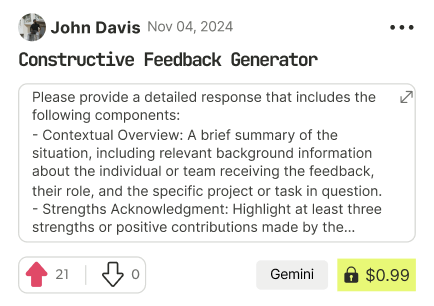
Find Powerful AI Prompts
Discover, create, and customize prompts with different models, from ChatGPT to Gemini in seconds
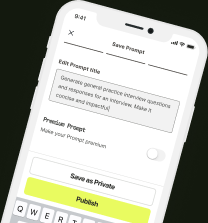
Simple Yet Powerful
Start with an idea and use expert prompts to bring your vision to life!